Microsoft Word
Preserve styles, numbered paragraphs, tables, headers, footers, comments, and native tracked changes. Accept, reject, compare, and revise in Word.
Writespect + Vizspect | AI patent drafting in Microsoft Word and Visio
Give the same compatible AI assistant careful access to the specification in Microsoft Word and the figures in Microsoft Visio.
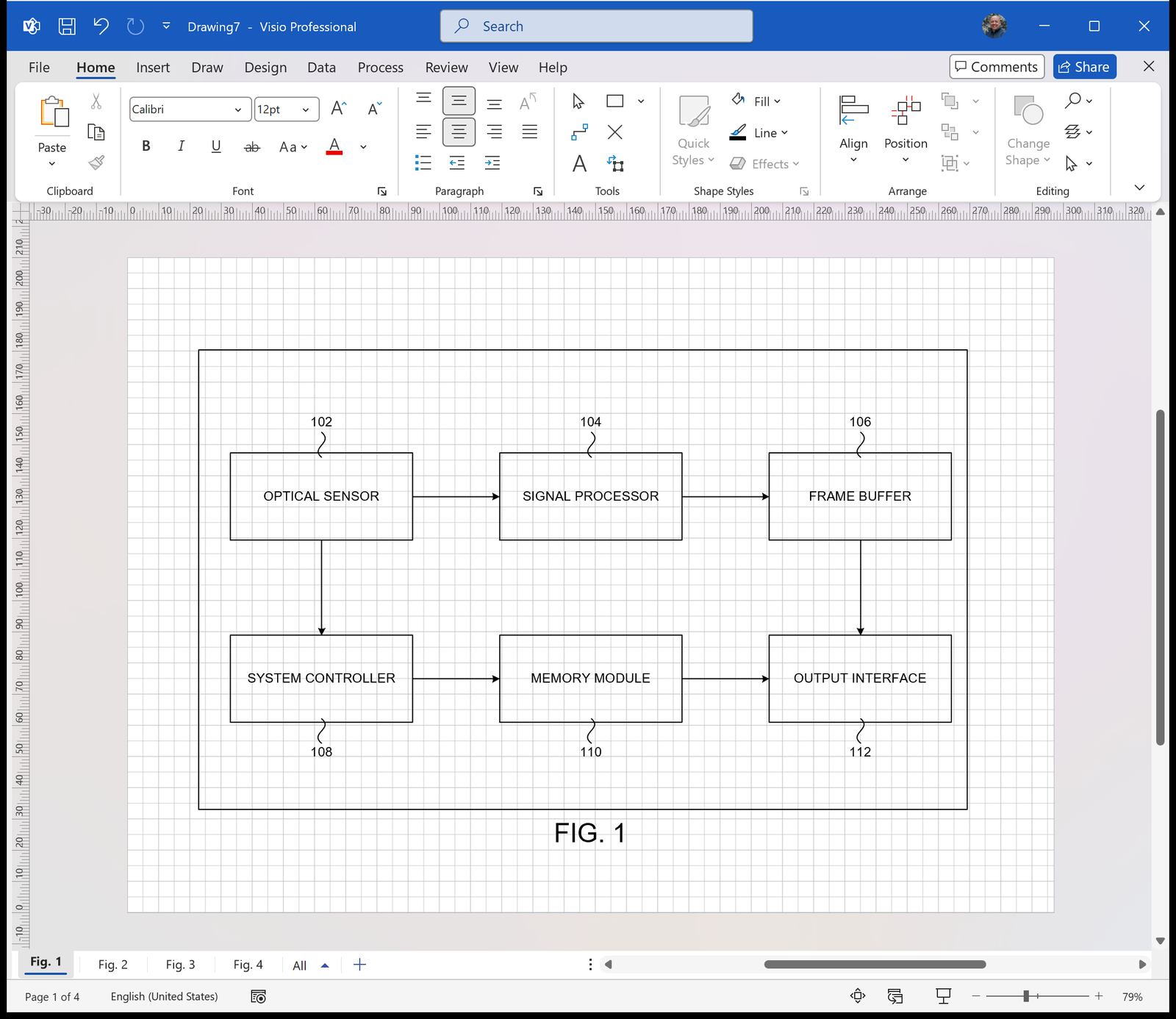
A real flowchart drawn in Visio through Vizspect. No edits, not sped up.
One drafting conversation
Writespect lets the assistant read and revise the real Word document, including tracked changes, comments, tables, headers, footers, and tracked revisions.
Vizspect lets it create and inspect the real Visio drawing, including native shapes, connectors, reference numerals, page structure, and drawing-quality checks.
Writespect and Vizspect do not make automatic background changes to keep the Word document and Visio drawings matched. Instead, the assistant deliberately reads and updates each file during the same conversation, so you can review every change where it was made.

Specification, claims, comments, tracked revisions, tables, and section structure.
Claude Code, Claude Desktop, Cowork, ChatGPT Work, ChatGPT Codex, or another local MCP client.

Patent figures, page layout, native connectors, reference numerals, rendering, and linting.
A patent attorney’s drafting sequence
The same assistant can carry the technical context through each drafting stage, while you review every Word revision and Visio figure.
Review the invention disclosure, inventor notes, prior art, diagrams, source files, and correspondence before drafting begins.
Develop the claim set in Microsoft Word, with revisions preserved as tracked changes you can review and refine.
Create apparatus figures, flowcharts, user interfaces, and other editable Visio drawings around the claimed subject matter.
Develop the background, summary, figure descriptions, and detailed description with the claims and drawings in context.
Compare claim terms with the specification, figure descriptions, reference numerals, labels, margins, overlaps, and consistency across both files.
Native Word and Visio files
Your patent specification remains a DOCX. Your figures remain VSDX drawings. The assistant works through Writespect and Vizspect, but nothing is stranded in a chat, flattened into an image, or locked in another editor.
Microsoft Word
Preserve styles, numbered paragraphs, tables, headers, footers, comments, and native tracked changes. Accept, reject, compare, and revise in Word.
Microsoft Visio
Preserve editable shapes, connectors, labels, reference numerals, and page geometry. Inspect and refine every figure in Visio.
When it is time to circulate or file, export PDFs from the same editable source files.
Use Writespect to draft and revise documents in Microsoft Word. Use Vizspect to create and check technical drawings in Microsoft Visio. Connect both to the same compatible assistant when the specification and figures need to stay in step.