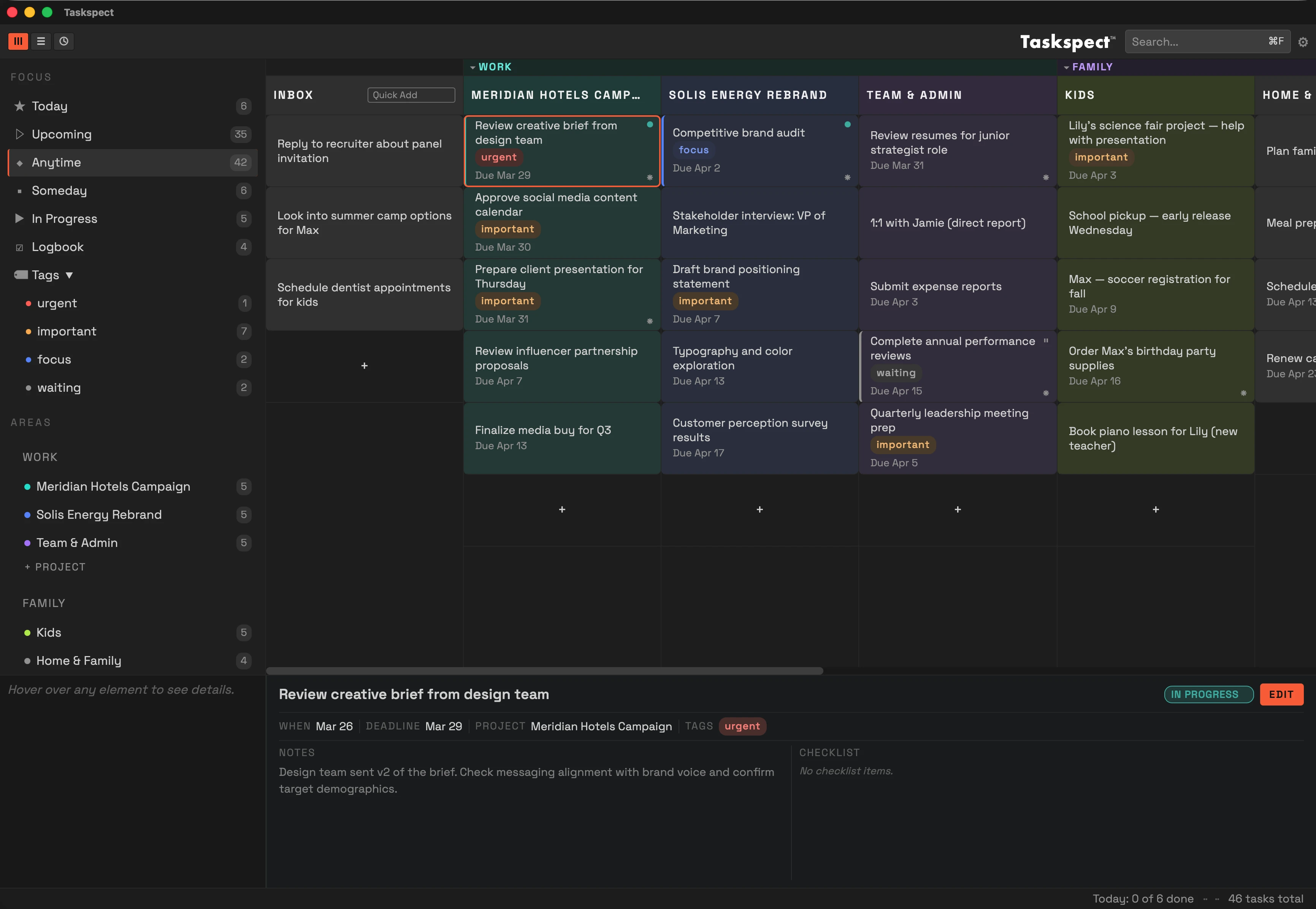
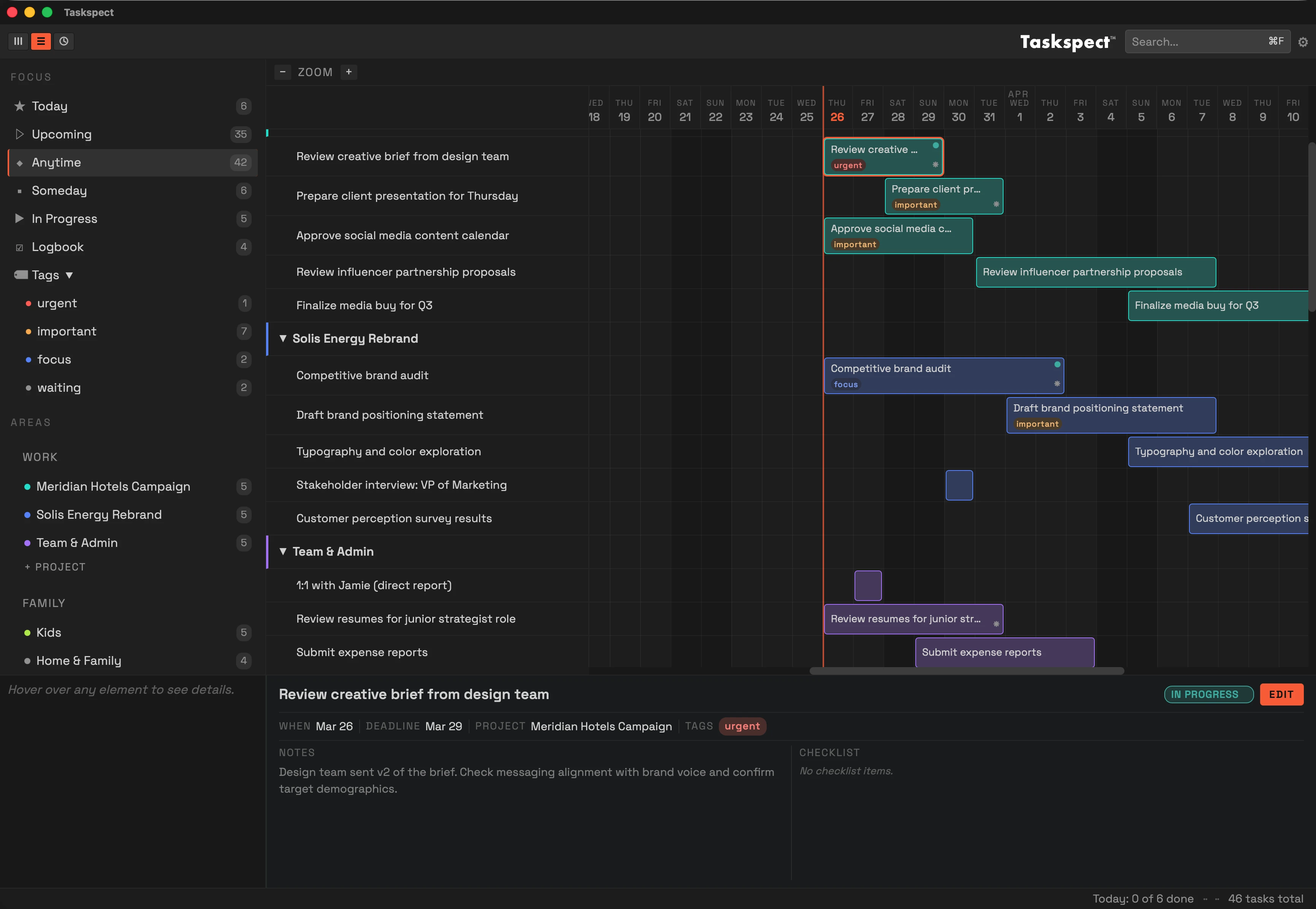

Visual task planner for Windows
See your tasks from
every angle
Three synchronized views let you organize, plan across time, and schedule your day in one app.
For Windows 11 on x64 PCs.
Three Views, One Source of Truth
Three views. Every aspect.
Most task managers give you a list. Taskspect™ gives you three synchronized views so you can organize your work, see how it fits together over time, and plan exactly how your day unfolds.
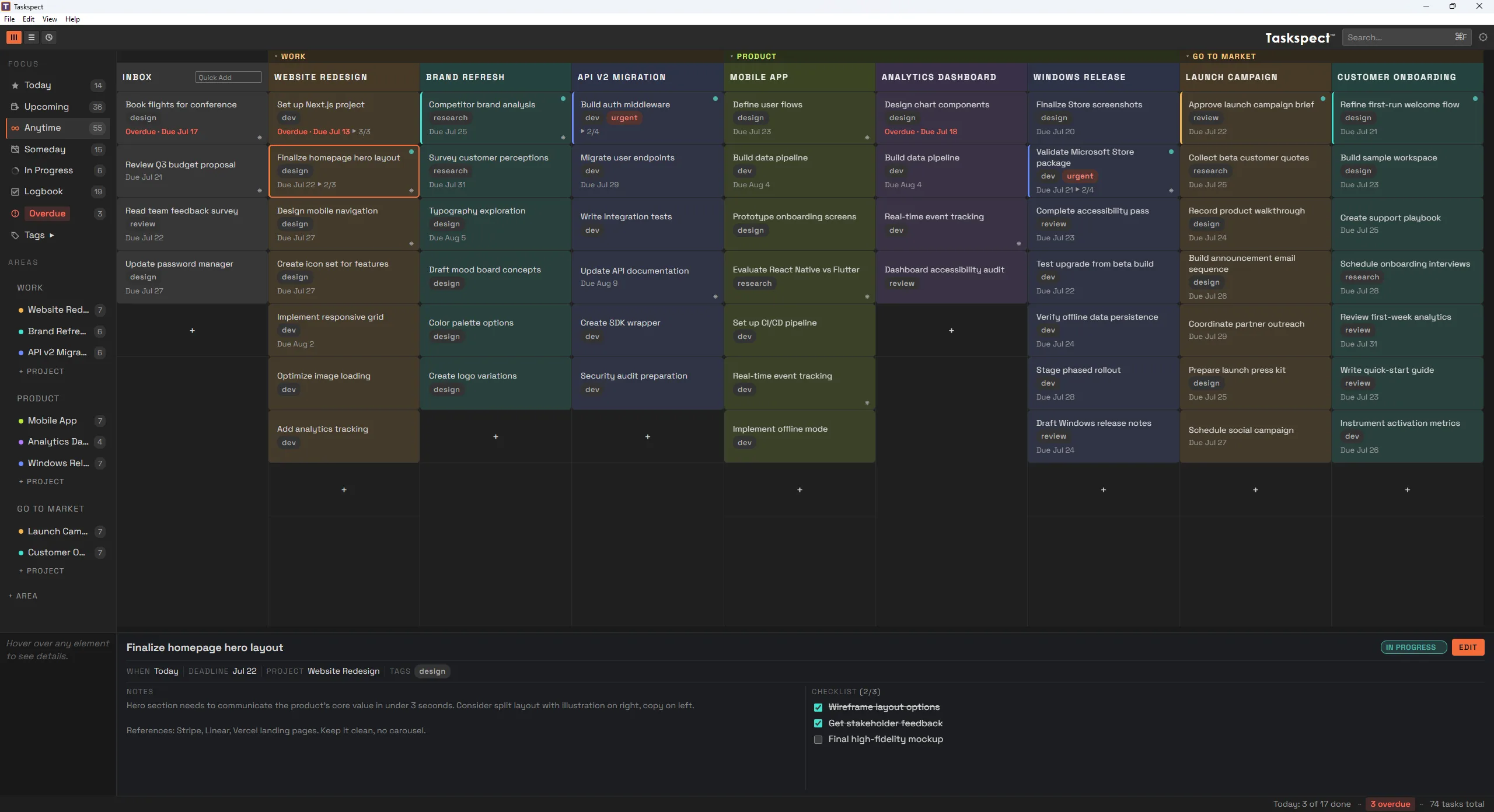
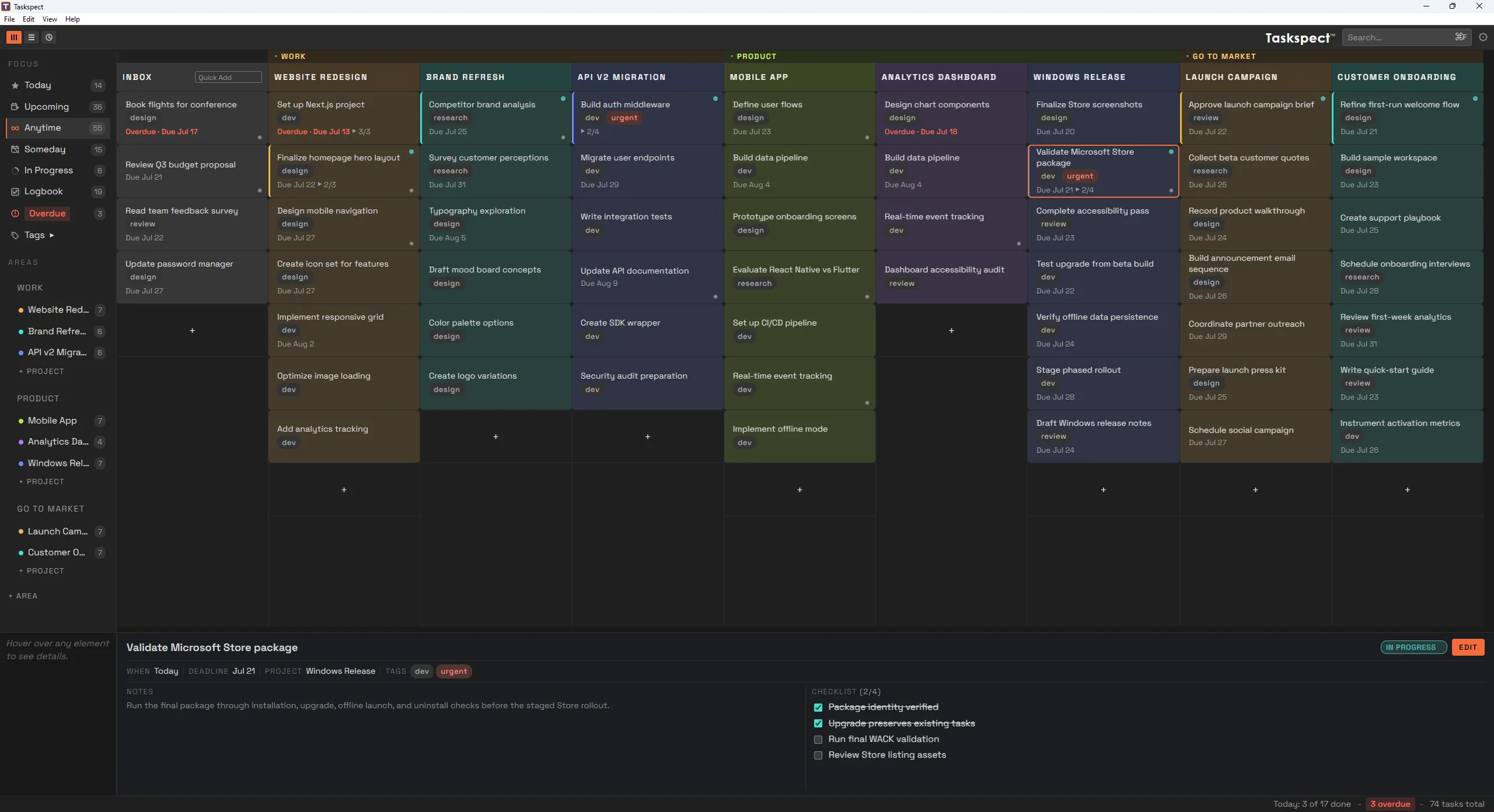
Task View
Your projects laid out as columns, each task as a card. Instantly see what needs doing, drag tasks between projects, and capture new ideas into Inbox without breaking your flow.
- Project columns with color-coded headers
- Quick Add to capture tasks in seconds
- Drag and drop between projects
- Filter by Today, Upcoming, Someday, and more
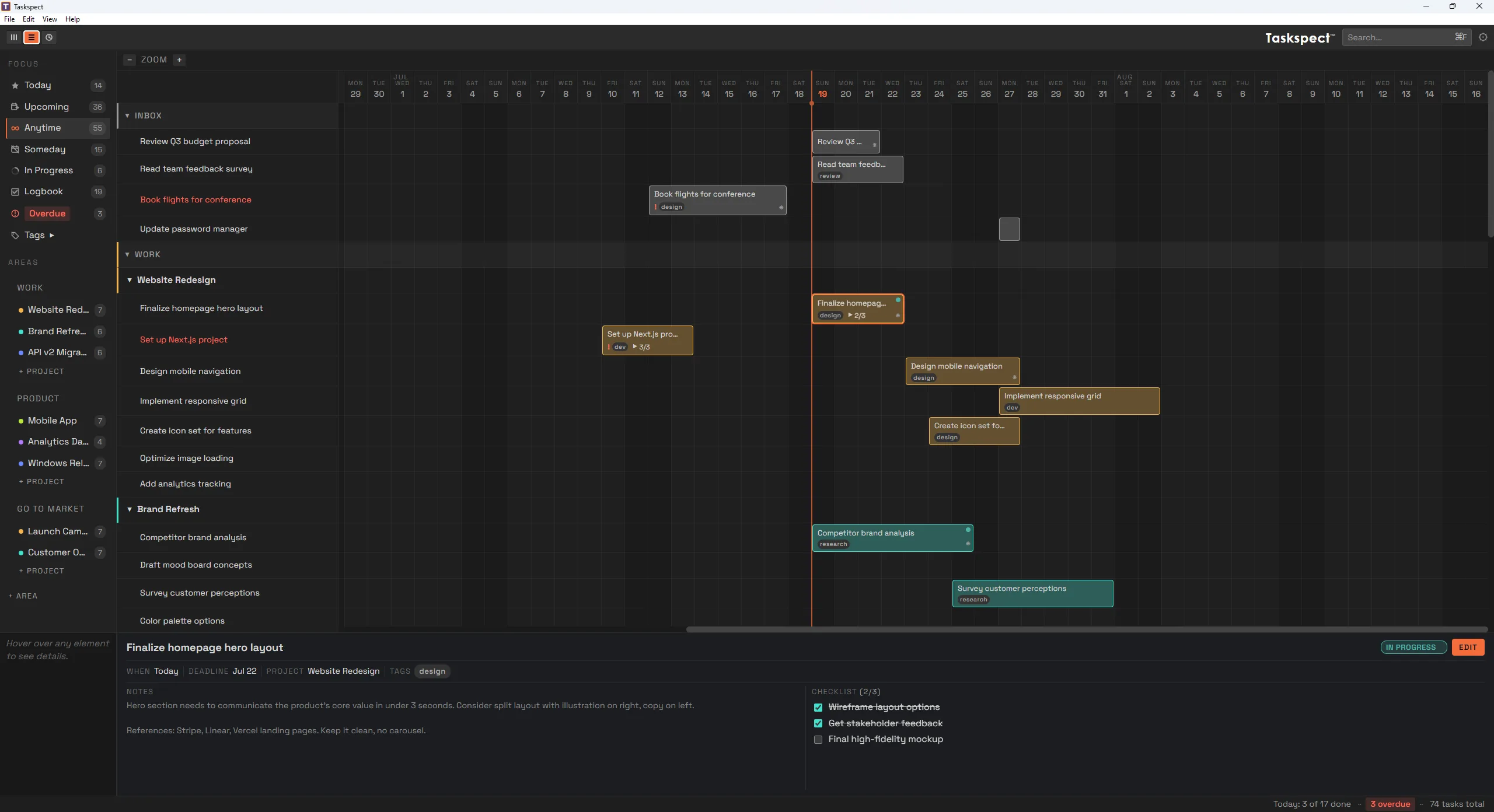
Timeline View
A Gantt-style timeline that shows how your tasks relate to each other in time. See overlaps, gaps, and deadlines at a glance. Drag to reschedule, resize to adjust.
- Zoomable calendar grid with day/week/month scales
- Drag edges to adjust start and end dates
- Orange playhead marks today
- See all projects and tasks on one timeline
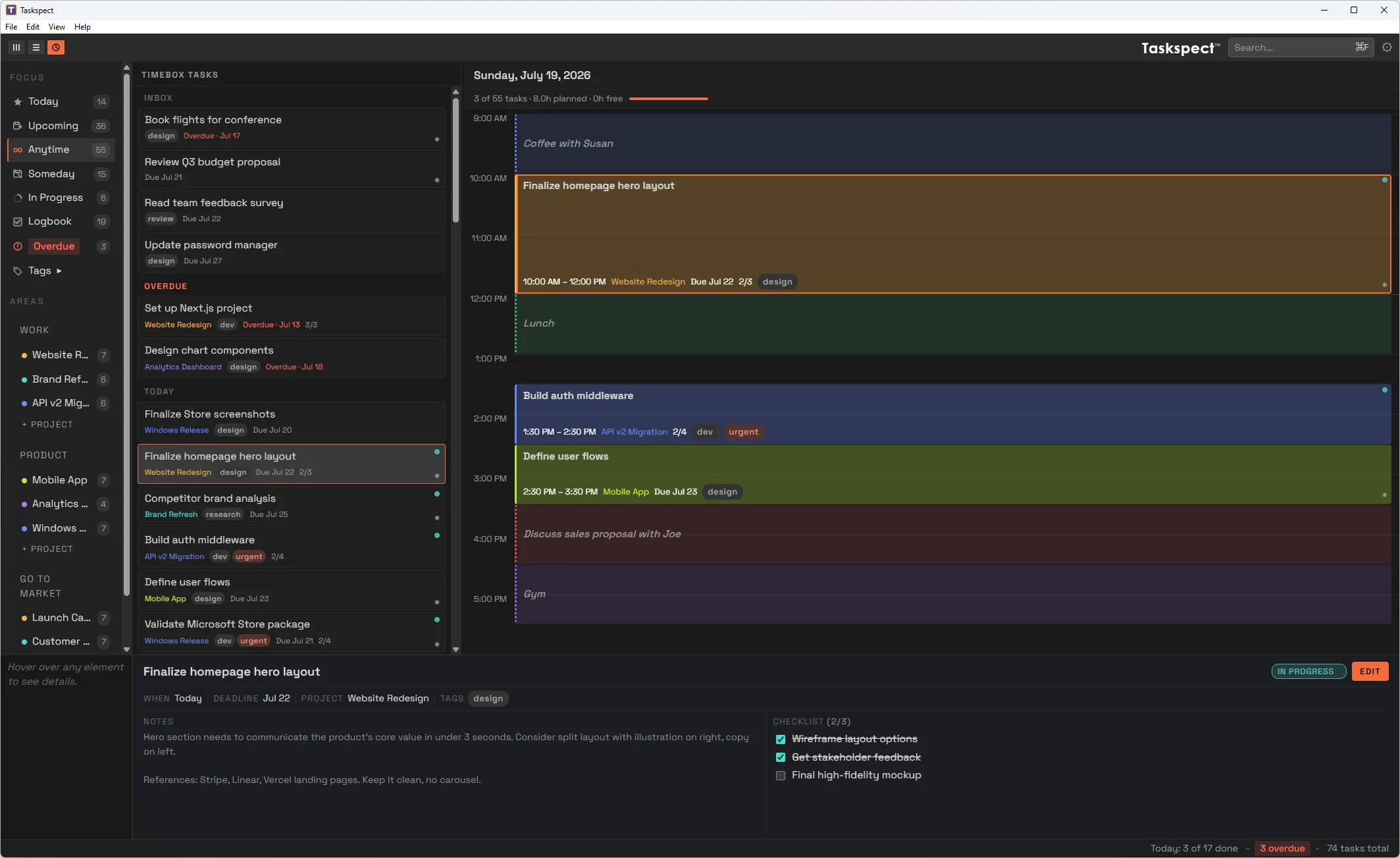
Timebox View
A day planner that turns your task list into a concrete schedule. Drag tasks onto time slots to plan your day hour by hour and see exactly when you'll work on what.
- 30-minute time slots for precise scheduling
- Drag tasks from the sidebar to schedule them
- Summary bar shows planned vs. free time
- Non-task blocks for lunch, meetings, and breaks
Built for Focus
Everything you need, nothing you don't
Designed to help you think clearly and work deliberately, without the clutter.
Areas & Projects
Organize work into areas of responsibility like Work and Personal, each with its own projects and color coding.
When & Deadlines
Schedule tasks for Today, a specific date, or Someday. Set deadlines, see overdue work at a glance, and optionally show Today, Inbox, or Overdue counts on the Windows taskbar icon.
Notes & Checklists
Add context to any task with freeform notes and checklists. Break down complex tasks into trackable subtasks.
Keyboard First
Every action has a shortcut. Create tasks, switch views, change status, and search without touching the mouse.
Drag & Drop
Move tasks between projects, reschedule on the timeline, and build your daily plan with intuitive drag and drop.
Dark & Light Themes
A beautiful dark theme for focused work and a clean light theme for bright environments. Switch anytime in settings.
Full Control
Everything about a task, one click away
Click any task to open the detail panel. Edit the title, set dates, add tags, write notes, and build checklists without leaving your current view.
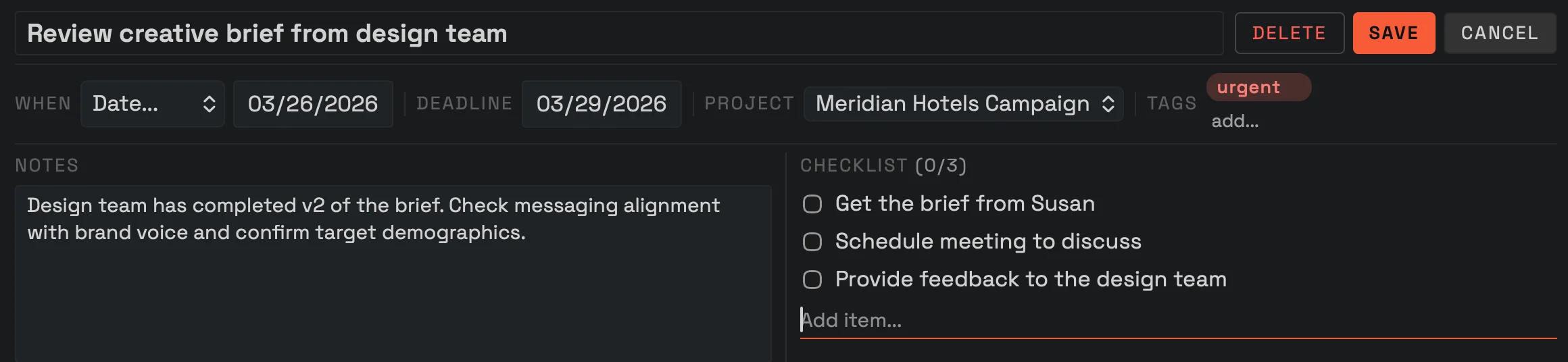
- Status tracking with keyboard shortcuts
- Schedule with When dates and Deadlines
- Color-coded tags for categorization
- Rich notes and subtask checklists
- Reassign to any project
- Edit without leaving your current view
Designed for Widescreen
Use your entire screen
List-based task managers waste your screen on a narrow column of text. Taskspect spreads your projects, timelines, and schedule across the full width of your display, so you can see everything at once instead of one thing at a time.
Ready to see the full picture?
Taskspect™ is available now on the Microsoft Store for Windows 11. Organize, plan, and schedule in one place.
For Windows 11 on x64 PCs.