Time blocking and timeboxing for Things 3*
Things 3 plans what.
Slotted plans when.
Your tasks already live in Things 3. Slotted lets you drag them onto a schedule and block out real time for each one, so a to-do list becomes a plan for the day.
Version 1.0.2 · macOS 26 or later · Requires Things 3
Plan your day, block by block
A real timeline for your tasks
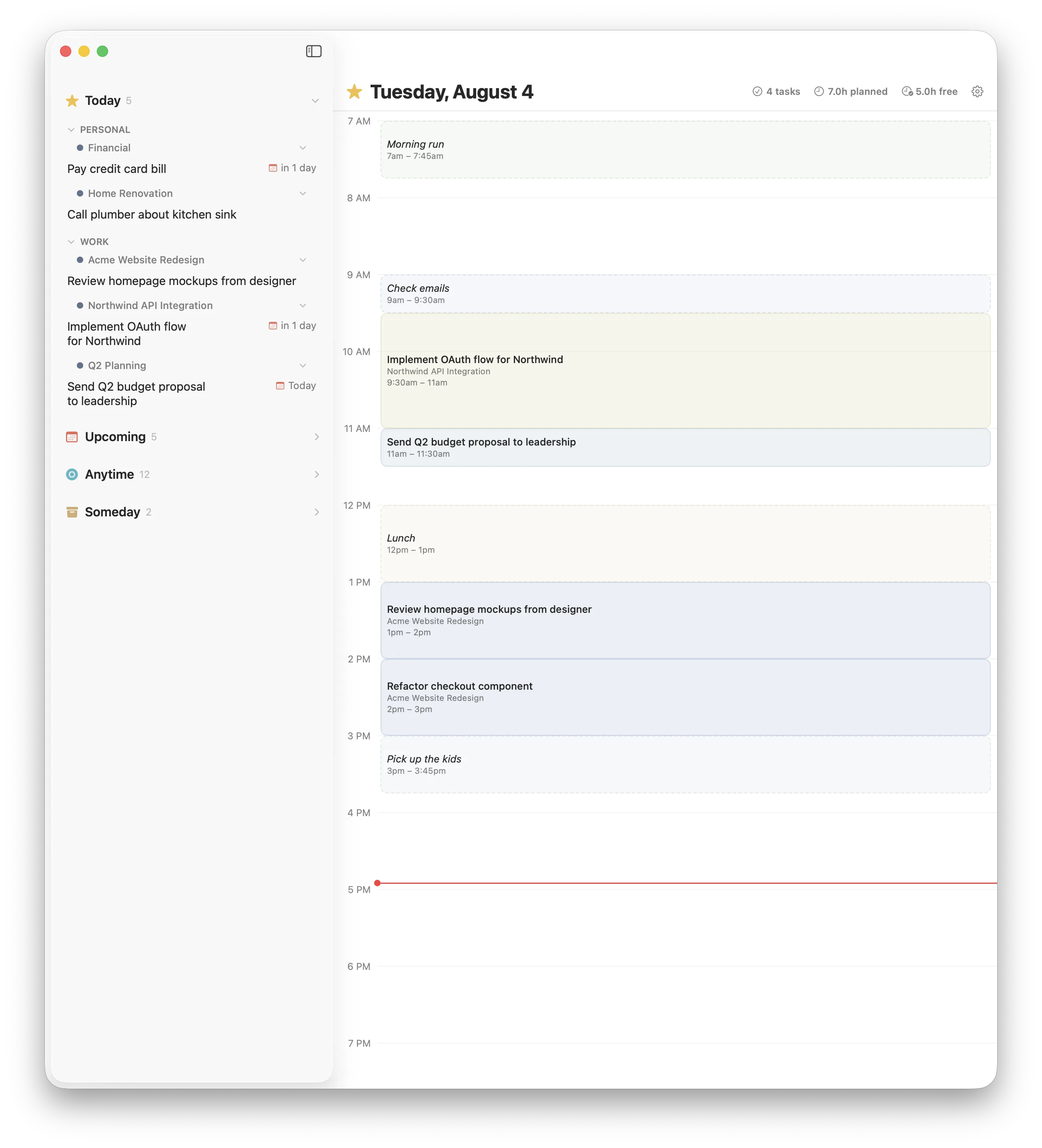
Slotted lives beside Things 3, not in place of it. Drag a task onto the grid to decide when you will do it and how long it will take, then adjust with a single gesture.
Turn your list into a schedule
Your Inbox, Today, Upcoming, and Anytime tasks appear on the left, straight from Things 3. Drag any one onto the grid to block out when you will do it, then grab an edge to change the start or end, or the middle to move the whole block.
- Every Things 3 task, grouped as you already have it
- Drag to place, drag an edge to resize
- Snaps to a tidy 15-minute grid on release
- A now line tracks the current time
See meetings and tasks together
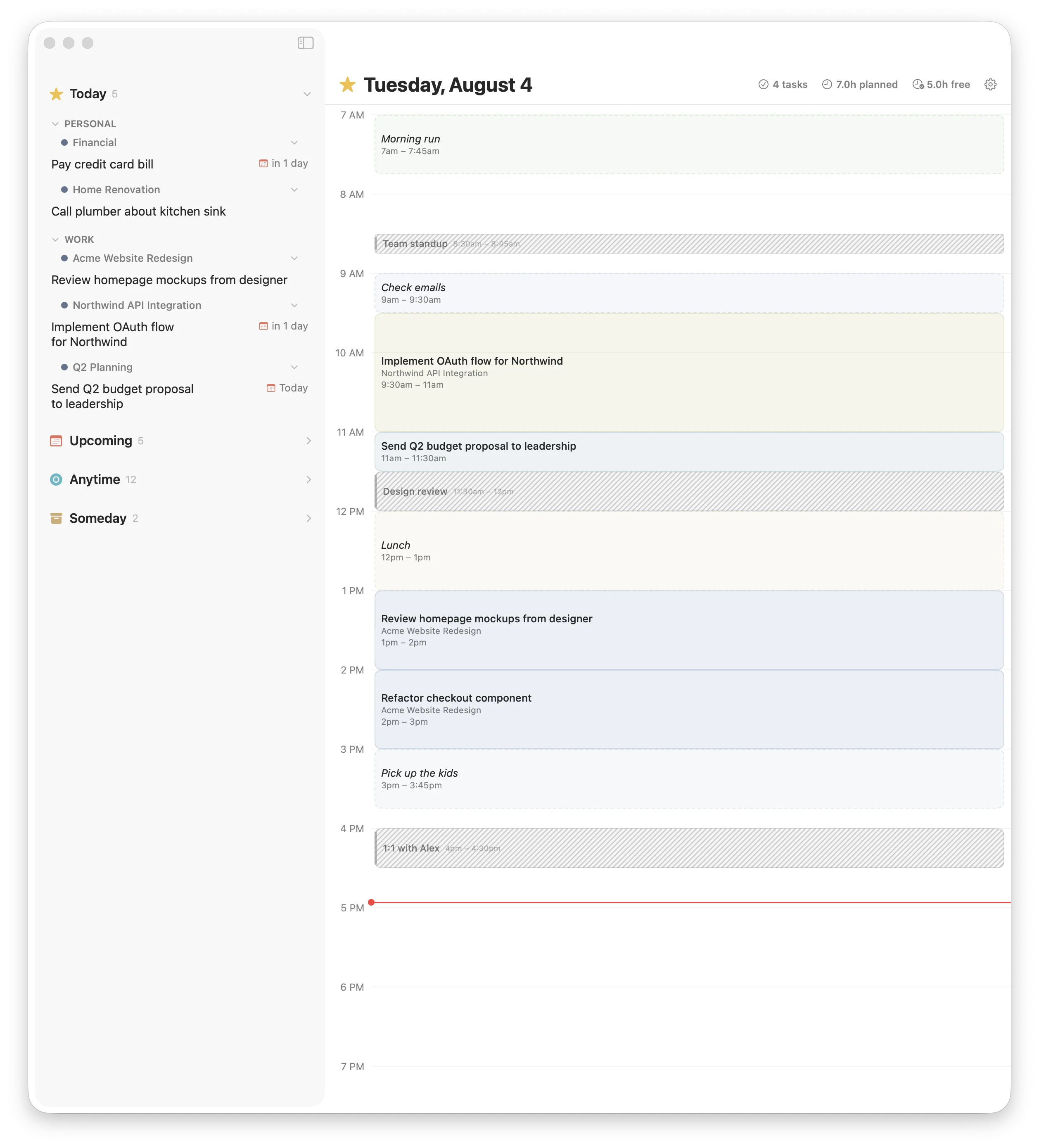
Bring in events from your macOS calendars so the time you have already committed shows up next to what you are planning. Calendar events use a distinct hatched pattern, and they are read-only, so they block out time without getting in the way.
- Events from your macOS calendars, on the same grid
- Hatched pattern keeps them clear from task blocks
- Auto-refreshes when your calendar changes
- Turn it on or off in Settings
Comfortable morning to night
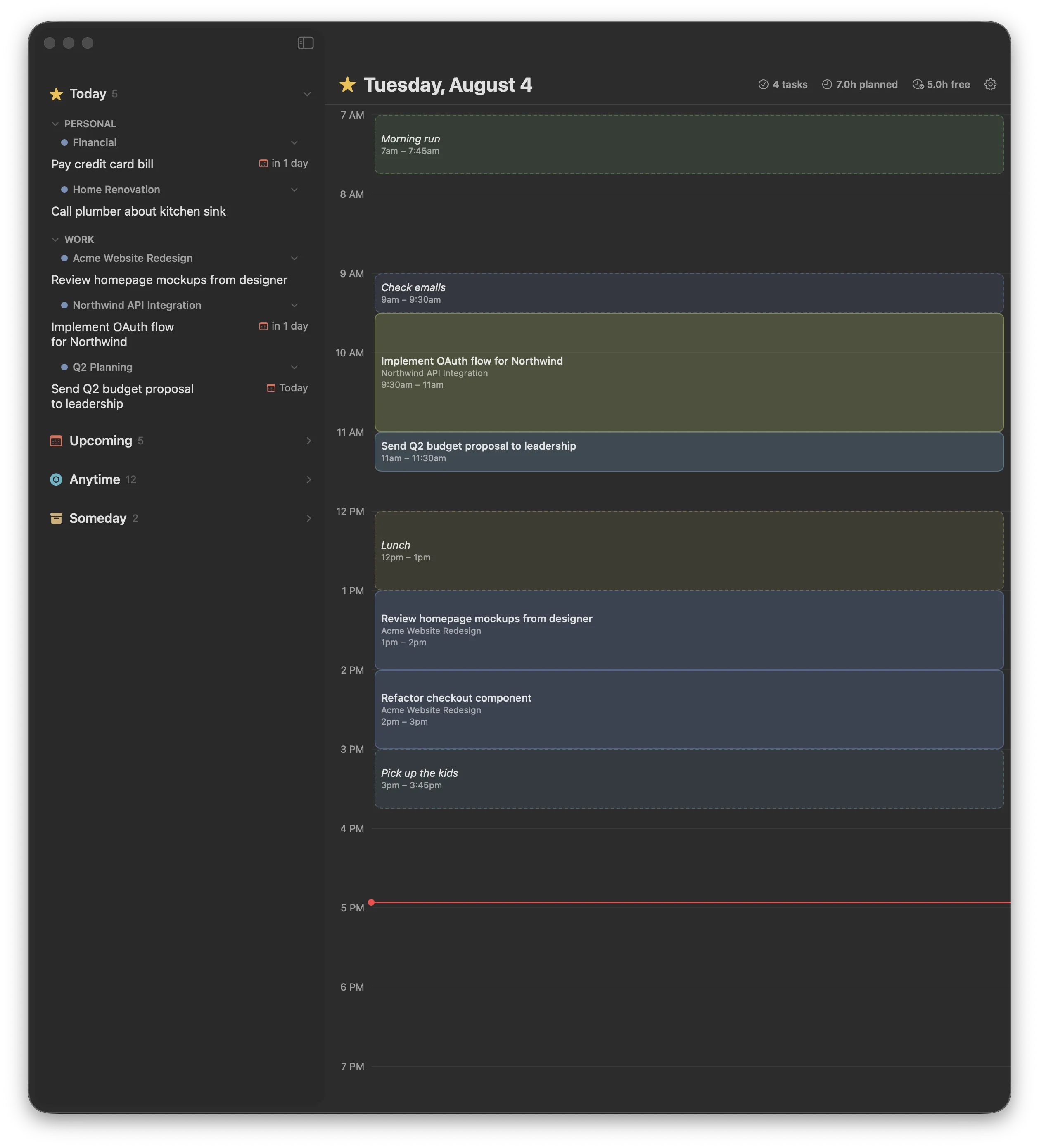
Slotted is a native SwiftUI app that feels at home on macOS. Choose light, dark, or auto to follow your system, size the text to taste, and set the hours your day runs so the grid shows exactly the window you plan in.
- Light, dark, or automatic appearance
- Adjustable schedule hours and text size
- A now line marks the current time
- Snap-to-grid on release, in 15-minute steps
Built for planning the day
Everything you need to block out time
A focused companion that does one thing well: turning your Things 3 tasks into a schedule.
Drag to plan
Drag any task from the list onto the timeline. Grab the top edge to change the start, the bottom to change the end, or the middle to move it.
Reads Things 3 live
Your Inbox, Today, Upcoming, Anytime, and Someday tasks appear automatically, with areas and projects, and update the instant you change them in Things 3.
Calendar events
Show events from your macOS calendars on the grid so you plan around the meetings you already have. Read-only, with a distinct hatched look.
Blocks for anything
Double-click an empty slot to add a block for lunch, a run, or a break. Cycle through 12 soft colors, and carry recurring routines into the next day.
Keyboard and precision
Click a block to select it, nudge it 15 minutes with the arrow keys, and remove it with Delete. Schedule the same task in more than one slot when a day needs it.
iCloud sync
Keep your schedule in step across your Macs through your own iCloud. A single toggle, no extra account, and it keeps working offline.
Your Things 3 data is safe
Read-only, by design
Slotted reads your tasks and never writes to Things 3. It cannot modify, delete, or corrupt your data, and it keeps to itself: no telemetry, no accounts, nothing leaves your Macs.
Opened read-only
The Things 3 database is opened with SQLite's read-only flag, so writes are rejected at the engine level. There are no write statements against it anywhere in the app.
Separate storage
Your schedule lives in Slotted's own database, entirely apart from Things 3. Planning in Slotted never touches your task data.
Private by default
No analytics, no crash reporters, no tracking. Slotted makes no network calls except to your own iCloud account, and only when you turn sync on.
Give your task list a timeline
Slotted is available for macOS. Keep planning in Things 3, and let Slotted turn it into a day.
Version 1.0.2 · macOS 26 or later · Requires Things 3
* Slotted is an independent product from Hopeful and is not affiliated with, endorsed by, or sponsored by Cultured Code. Things is a trademark of Cultured Code GmbH & Co. KG.