Timeline View
Timeline View displays tasks as horizontal blocks on a calendar grid, organized by project. It provides a Gantt-style overview of your schedule.
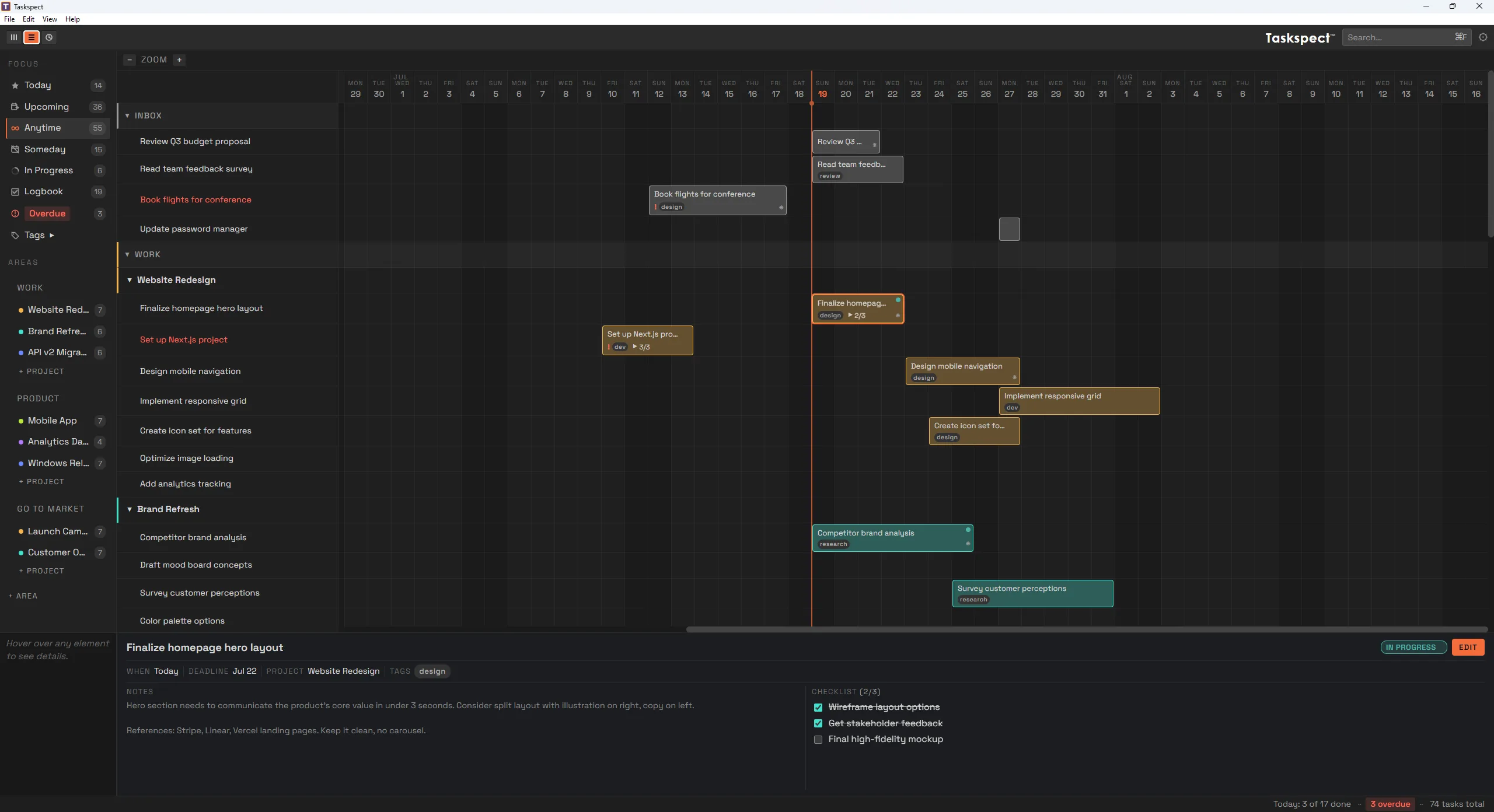
Timeline View on Windows showing tasks as draggable blocks on a date grid.
Working with timeline blocks
- Click a block to open the detail panel.
- Drag the body of a block left or right to reschedule it. Both its start and end dates move.
- Drag either edge of a block to adjust its start or end date independently.
- Press ← or → to nudge the selected task by one day.
- Use Ctrl+ and Ctrl− to adjust the time scale.
Navigating the timeline
- The orange playhead marks today.
- Scroll horizontally to move through time.
- Click area and project headers in the label panel to collapse or expand them.
- Drag the label panel edge to resize the project-name column.